Offer Queue: Reject + Create Rule
31st July 2026
Creating rejection rules is a great way to save time on future offer queue reviews but previously it meant remembering to go into Reject Rules (under Tools) and manually configure a rule. You can still do this for more advanced rules.
However now if you want to create a simple rejection rule based on the offer link e.g. the domain (so any offers from that domain are rejected) or the the exact URL you can now do this from the Review tab.
Just click the little arrow next to the x to open the menu and you can click Reject & create rule:
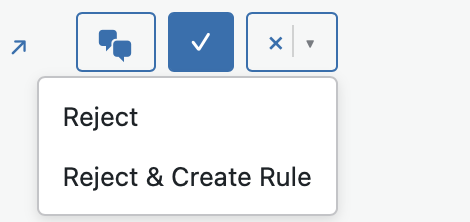
This enables you to create an auto reject rule quickly and easily for that offer link domain.
Any questions let me know.
If you use keyboard shortcuts to quickly process the Review tab there is a new keyboard sohrtcut to quickly open Reject & create rule: Shift + r.